
 By
By 
An Online Trading App gives investors and traders access to financial markets through a mobile phone or computer. Users can search for securities, place orders, track holdings, review charts, and monitor transactions without visiting a physical branch.
This convenience has changed how people participate in the market, but easy access does not remove risk. A suitable platform should provide clear information, stable performance, transparent charges, and strong security. Users should also understand the products they select before placing any order.
This guide explains the main features, risks, and practical checks that can help users make informed decisions while using a digital trading platform.
Understanding the Role of an Online Trading App
A trading application acts as a digital connection between the user, the broker, and the stock exchange.
When an order is submitted, the platform sends the instruction for execution. Once matched, the trade is confirmed and reflected in the user’s account.
Most platforms may offer access to:
- Equity shares
- Exchange-traded funds
- Futures and options
- Commodities
- Bonds
- Public issues
- Market data
- Portfolio reports
The exact product range depends on the provider.
A beginner should avoid activating every available segment. Access to a product does not mean it is suitable for the user’s knowledge, goals, or risk level.
Start With a Clear Investment Purpose
Before selecting a platform, users should decide why they want market access.
Some may be focused on long-term wealth creation, while others may want to track companies, build a diversified portfolio, or participate in short-term trades.
A clear objective helps determine which features are genuinely required.
For example, a long-term investor may prioritise:
- Company financial data
- Portfolio reports
- Corporate announcements
- Simple order placement
- Low maintenance charges
An active trader may require:
- Live charts
- Market depth
- Fast order updates
- Advanced order types
- Price alerts
The platform should match the user’s actual requirement rather than offering unnecessary complexity.
Review the Account Opening Process
A reliable application should provide a transparent account opening process.
Users may need to submit:
- Identity proof
- Address proof
- Bank details
- Tax information
- Signature
- Nominee information
- Video verification
Before providing documents, applicants should confirm the identity of the registered intermediary and understand which accounts are being opened.
The user should also review:
- Account opening charges
- Annual maintenance fees
- Trading segment activation
- Nominee registration
- Account closure process
Digital consent should be given only after the terms are read carefully.
Check the Interface Before Funding the Account
A trading platform should be easy to navigate, especially during active market hours.
The user should be able to find:
- Search tools
- Watchlists
- Order window
- Holdings
- Open positions
- Funds
- Reports
- Notifications
A complicated interface can increase the chance of mistakes. Common errors include entering the wrong quantity, selecting the wrong exchange, or choosing the wrong product category.
The order confirmation screen should display every important detail before submission.
Learn the Available Order Types
Order types affect how a transaction is executed.
Market Order
A market order is placed at the best available price. It may execute quickly, but the final price can differ during periods of high volatility.
Limit Order
A limit order allows the user to select a specific price. The transaction is completed only when that price or a better one becomes available.
Stop-Loss Order
A stop-loss order becomes active when the market reaches a predetermined trigger. It can support risk control, but it does not guarantee an exact exit price.
Users should understand how each order works before using it with real money.
Examine Market Data and Charts
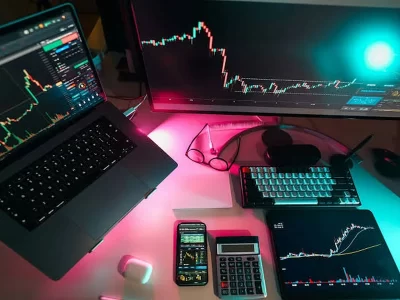
Many applications provide charts, price history, volume, and technical indicators.
Useful chart features may include:
- Candlestick view
- Multiple time intervals
- Volume bars
- Drawing tools
- Price alerts
- Moving averages
Charts can support analysis, but they should not be treated as a guarantee of future movement.
Users should also review company information such as revenue, profit, debt, management quality, and valuation before making a long-term decision.
A person planning to buy stock should understand the business behind the security rather than relying only on recent price movement.
Compare Brokerage and Other Charges
The cost of using a platform is not limited to brokerage.
Users should review:
- Brokerage fees
- Annual maintenance charges
- Exchange transaction charges
- Securities transaction tax
- Goods and services tax
- Stamp duty
- Depository participant charges
- Call-assisted order fees
- Margin-related interest
A platform may advertise zero brokerage for one category while applying charges elsewhere.
The right comparison should focus on the total expected cost based on the user’s likely transaction frequency and product type.
Frequent trading can reduce net returns because charges apply repeatedly.
Check Platform Speed and Stability
A trading application should remain usable during busy market periods.
Users should examine whether the platform offers:
- Timely price updates
- Quick order confirmation
- Accurate position status
- Stable login
- Browser access
- Alternative support channels
- Clear outage communication
No application can guarantee uninterrupted service, but the provider should offer a reliable backup process.
Users should know how to contact customer support and manage open positions if the primary application becomes unavailable.
Review Security Controls
Security is an essential feature because the platform contains financial and personal information.
Important safeguards may include:
- Two-factor authentication
- Biometric login
- Device verification
- Login alerts
- Secure password reset
- Session timeout
- Transaction notifications
Users should never share passwords, one-time codes, or account access with anyone.
Applications should be downloaded only from official sources. Unknown links and unofficial files should be avoided.
Use Watchlists for Organised Research
A watchlist helps users monitor selected companies without placing immediate orders.
Separate watchlists may be created for:
- Different sectors
- Long-term research
- Earnings announcements
- Dividend-paying companies
- High-volume securities
- Personal observations
A watchlist should support planning rather than encourage unnecessary activity.
Users should review why a security has been added and what conditions would justify further research.
Understand the Difference Between Holdings and Positions
Holdings generally refer to securities kept in the account after settlement. Positions may refer to active trades that are still open.
The application should clearly separate the two.
This helps prevent errors such as:
- Selling the wrong quantity
- Confusing delivery with intraday transactions
- Assuming an order is fully completed
- Overlooking partially executed trades
Users should confirm order status and settlement before taking another action.
Keep Trading Capital Separate
Money used for market participation should remain separate from emergency savings and essential expenses.
Users should not use funds reserved for:
- Rent
- Loan repayments
- Education
- Medical needs
- Household bills
A clear capital limit helps reduce emotional decisions.
Borrowing money to trade can increase financial pressure because the repayment obligation remains even when the trade results in a loss.
Set Risk Limits Before Placing Orders
Users should define the maximum amount they are prepared to lose before entering a transaction.
Risk controls may include:
- Maximum amount per trade
- Maximum daily loss
- Position size limits
- Planned exit level
- Maximum number of transactions
- Avoidance of excessive leverage
Risk planning should happen before the market moves.
Changing the plan after a loss often leads to emotional decisions and larger exposure.
Maintain Transaction Records
A trading journal can help users review decisions objectively.
The record may include:
- Date
- Security selected
- Entry price
- Exit price
- Quantity
- Reason for entry
- Planned risk
- Final result
- Charges
- Mistakes observed
Performance should be measured after deducting all costs.
A few profitable trades do not confirm that a method is reliable. Results should be reviewed over a meaningful period.
Evaluate Reports and Customer Support
A good platform should provide easy access to:
- Contract notes
- Holding statements
- Transaction history
- Profit and loss reports
- Tax reports
- Charge summaries
These documents help users verify transactions and prepare financial records.
Customer support should be available through official channels. Users should check whether complaints receive reference numbers and whether unresolved issues can be escalated.
Review Account Integration and Storage
Some platforms combine trading and securities storage within one ecosystem. Users should understand how purchased securities are recorded and where official statements can be accessed.
Before choosing among Demat Apps, investors should compare security, depository charges, statement access, nomination options, transaction records, and account closure procedures.
The platform should help users manage holdings accurately without creating confusion between trading activity and long-term ownership.
Conclusion
An Online Trading App can simplify access to financial markets, but the quality of the outcome depends on how responsibly it is used.
Users should compare charges, order types, security controls, reports, platform stability, and customer support before selecting a provider. They should also define their objective, limit risk, and avoid using essential savings for market activity.
A suitable platform should make information clear, transactions traceable, and account management secure. It should support disciplined decisions rather than encourage frequent and unplanned activity.
Frequently Asked Questions
1. Is an Online Trading App suitable for beginners?
Yes, provided the user understands basic market concepts, order types, charges, security, and risk before placing transactions.
2. What is the most important feature in a trading platform?
There is no single feature for every user, but reliability, security, transparent charges, and clear order placement are essential.
3. Can users trade without using charts?
Yes. Long-term investors may focus more on company fundamentals, financial statements, valuation, and business quality.
4. Do low brokerage charges guarantee better returns?
No. Returns depend on investment selection, timing, risk, taxes, and total transaction costs.
5. How can users reduce avoidable trading mistakes?
They can review order details, use suitable position sizes, maintain written rules, avoid excessive leverage, and keep complete transaction records.


Comments